Four pillars.
One subscription.
Everything below is included in the CA$5 / user / month plan. One simple plan — every GoTidy feature included. No "contact sales".
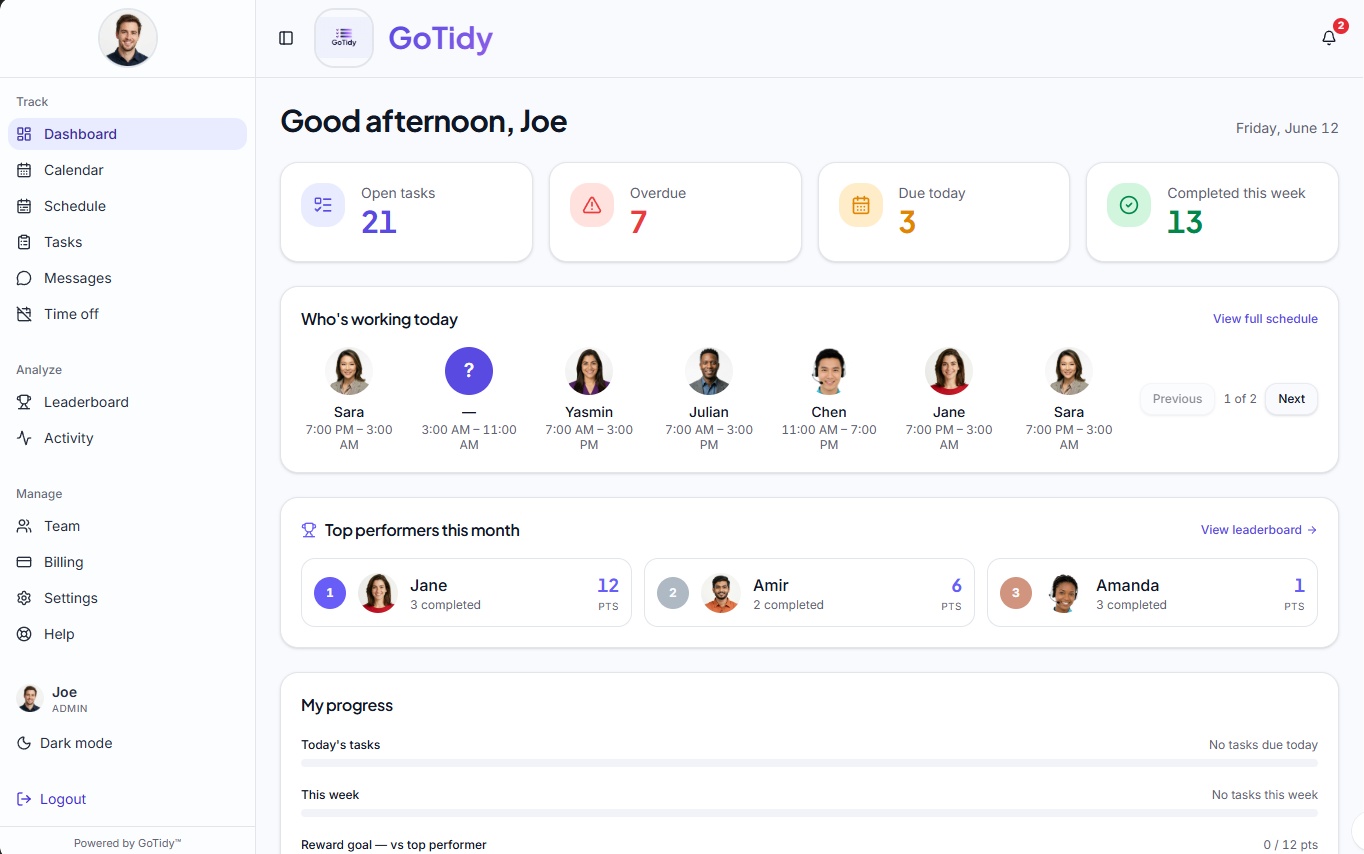
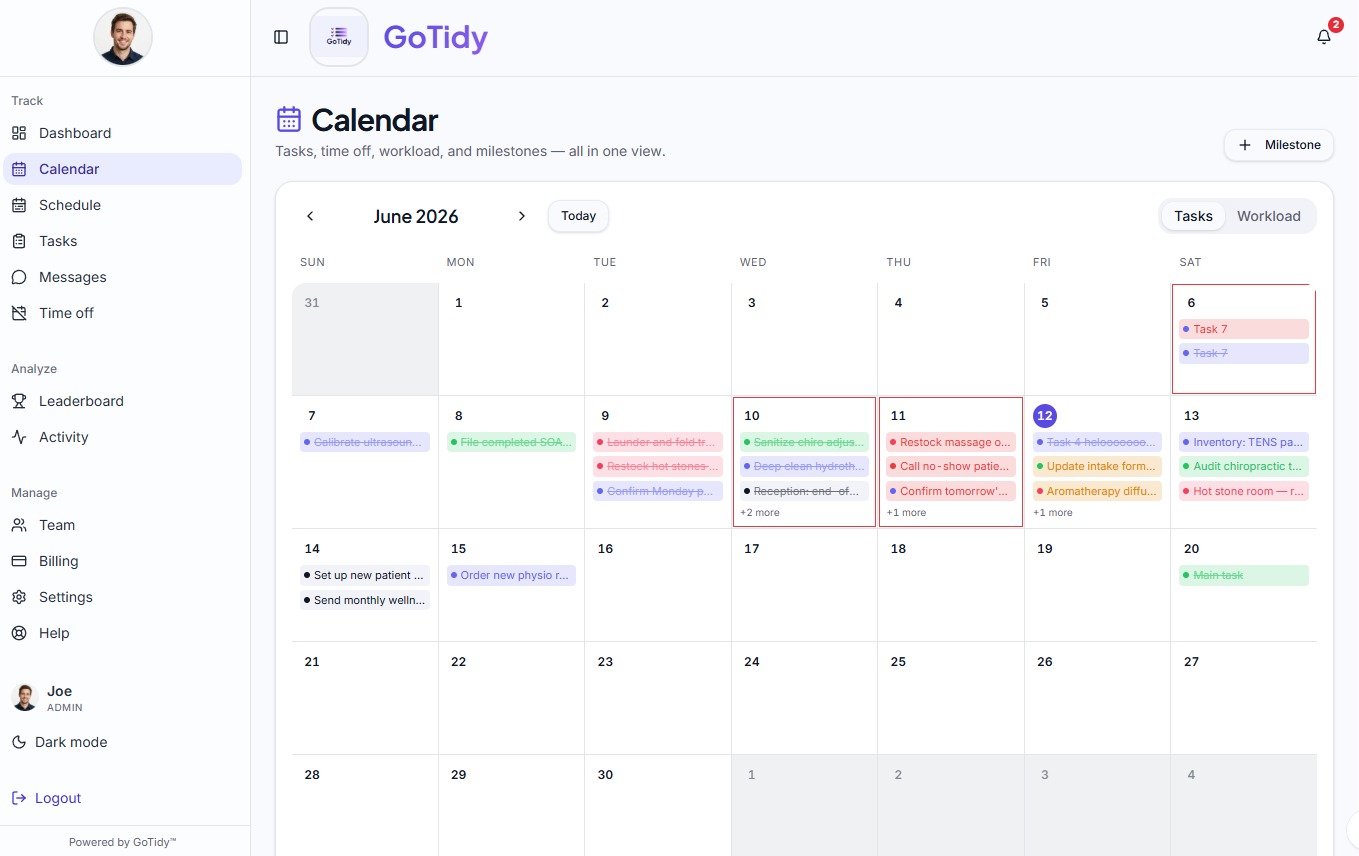
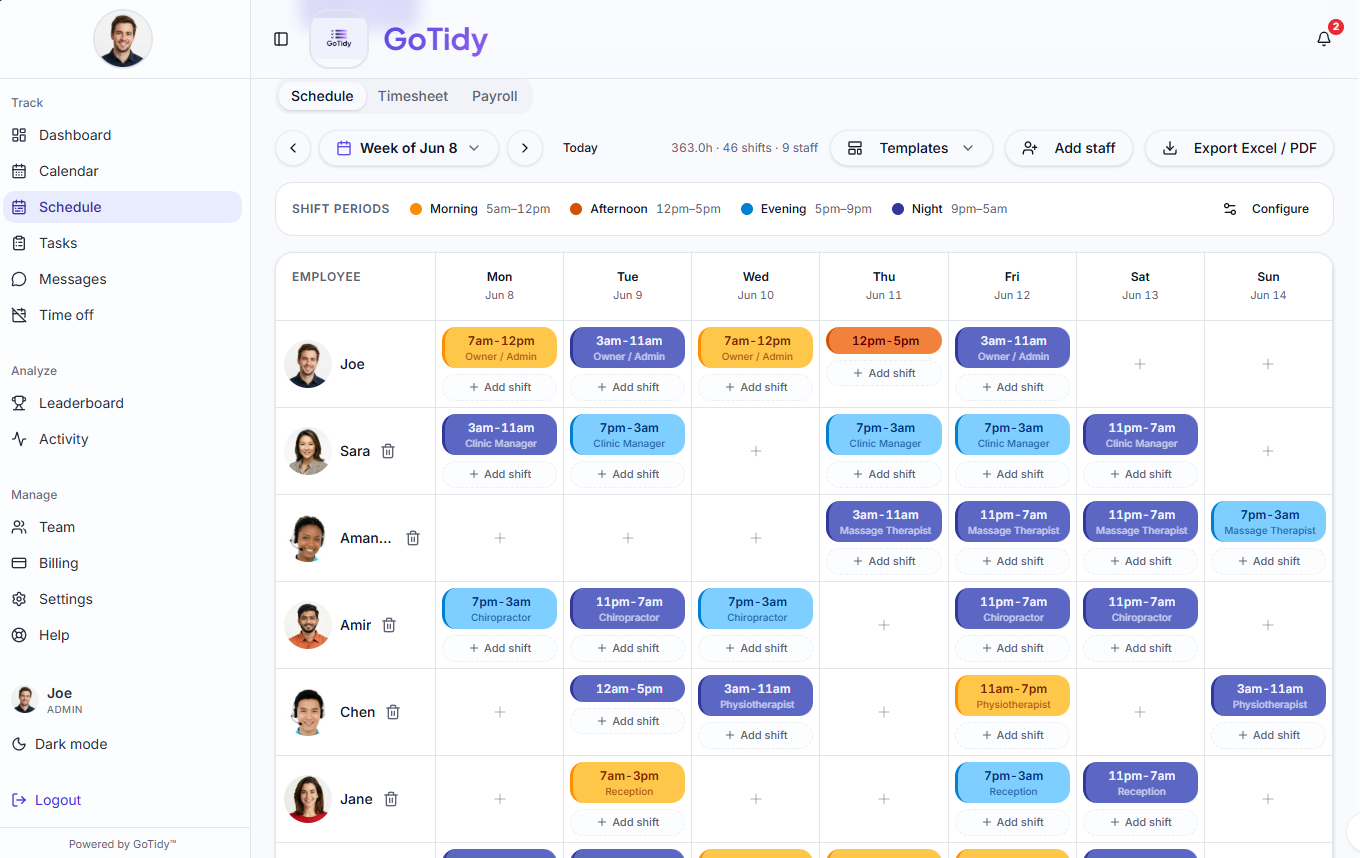
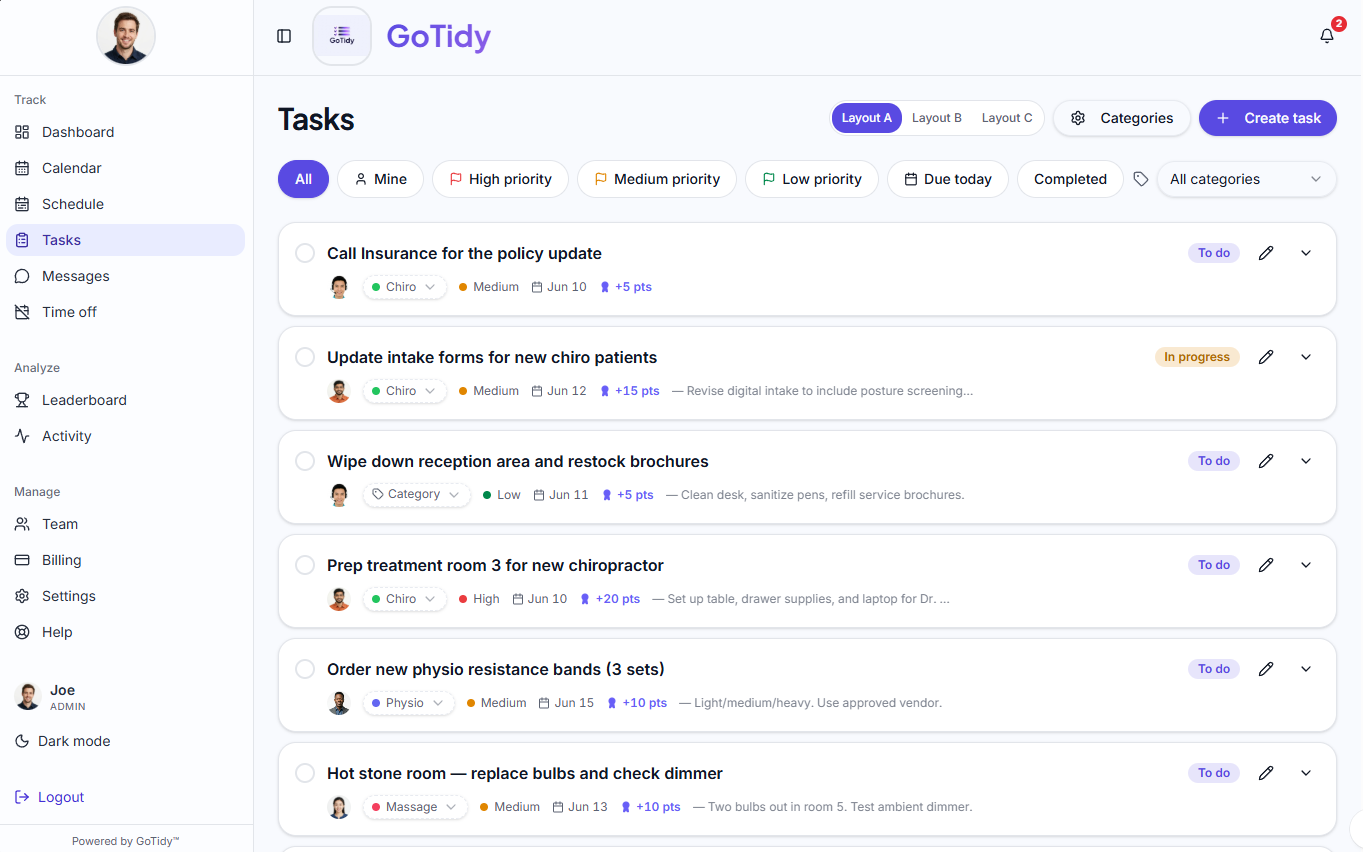
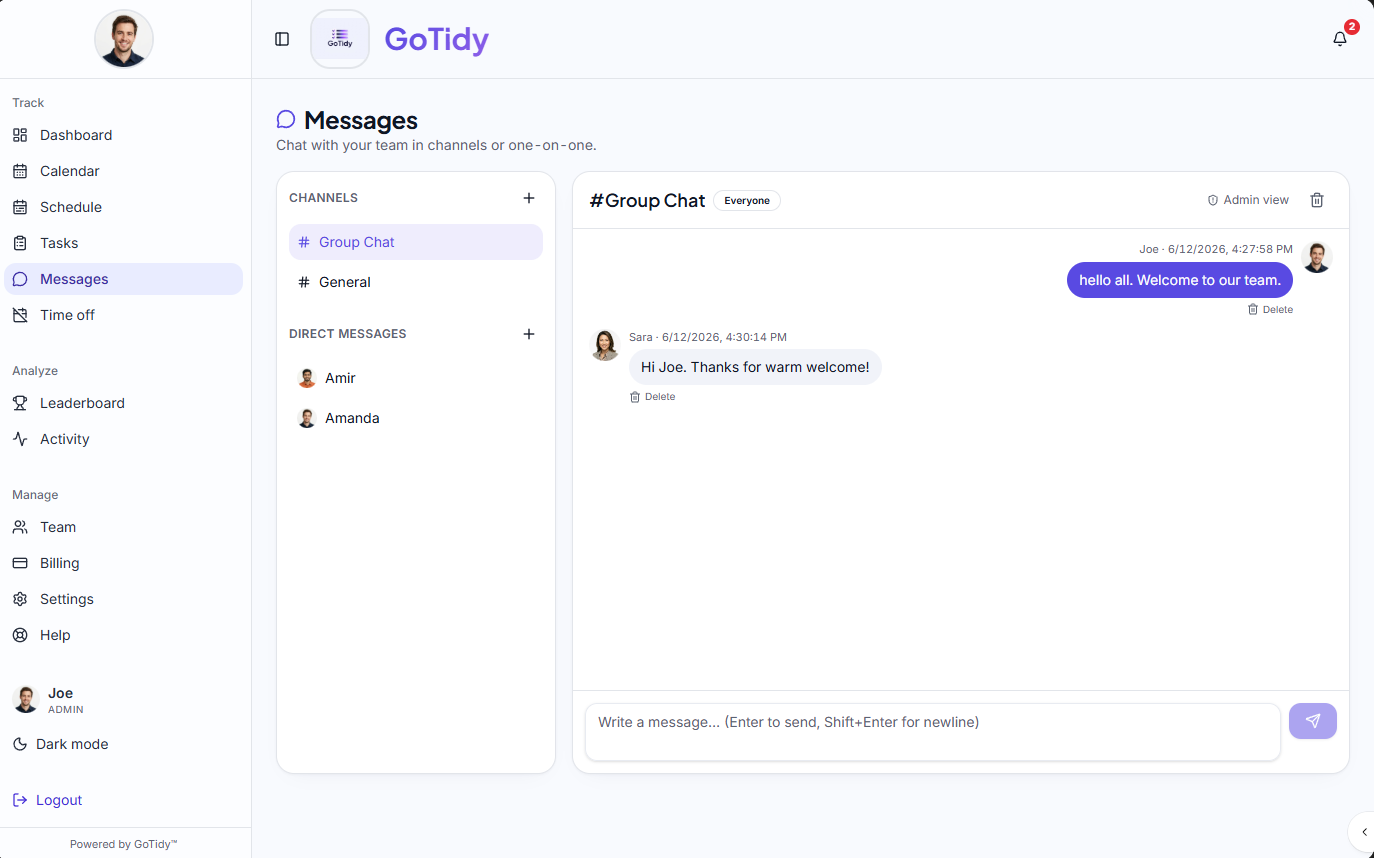
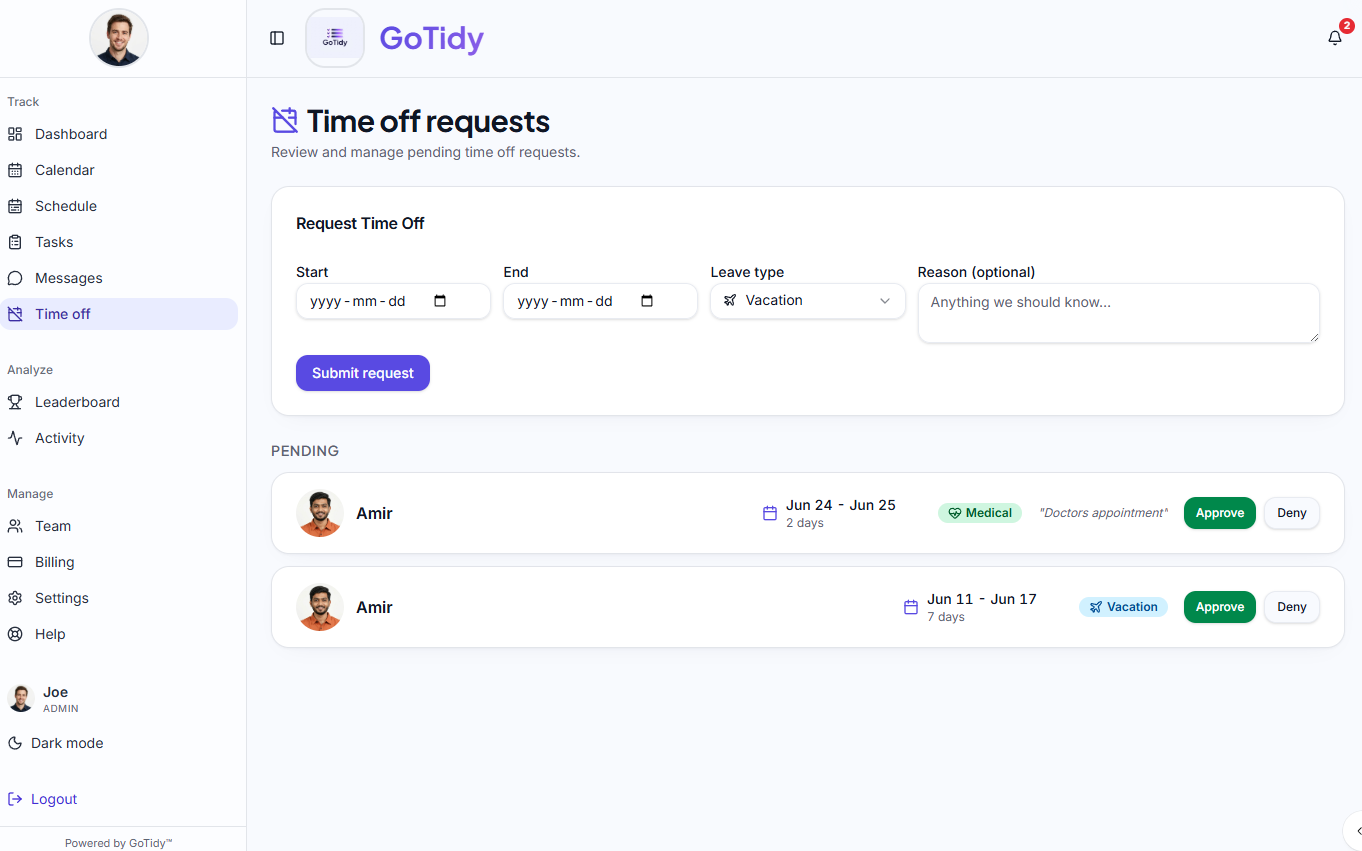
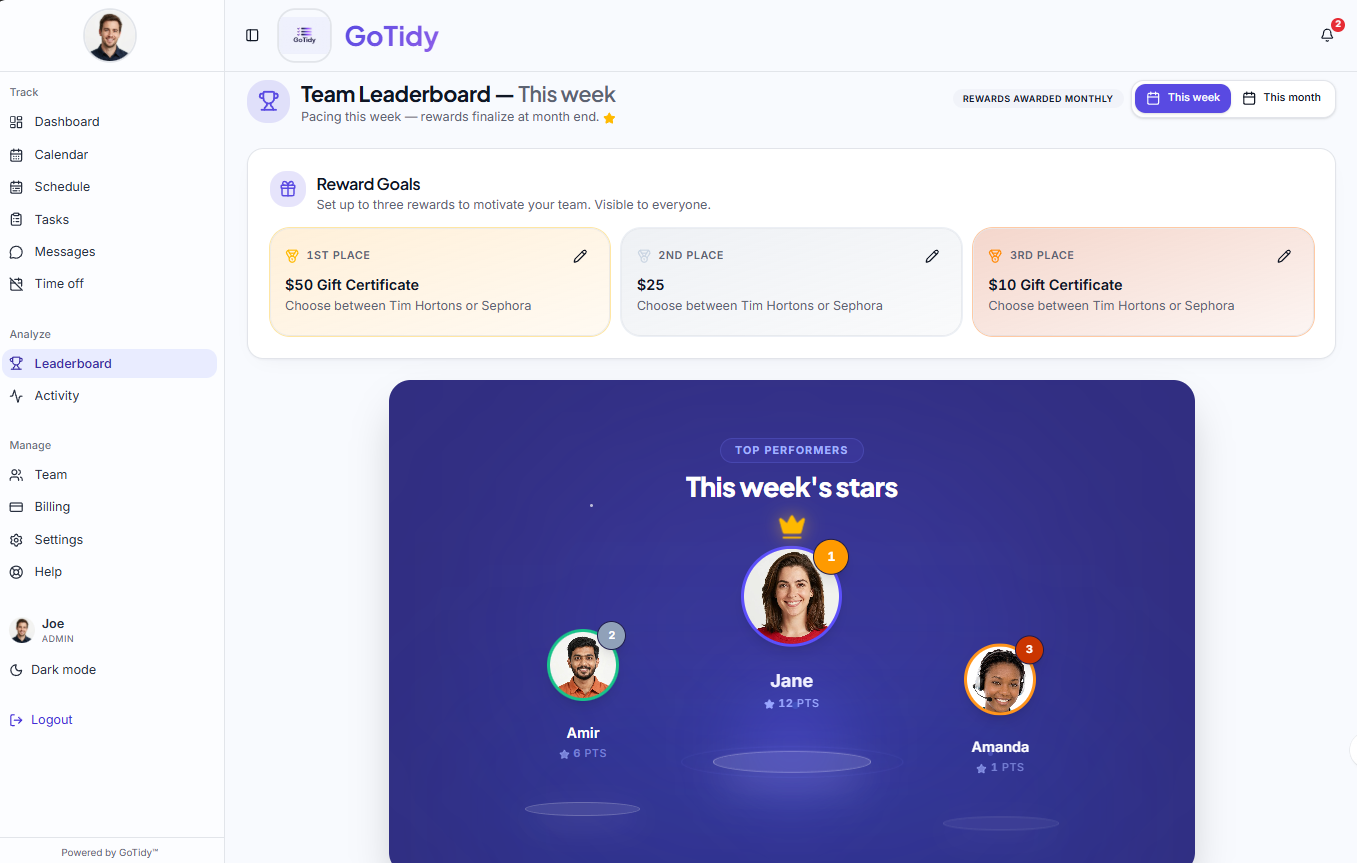
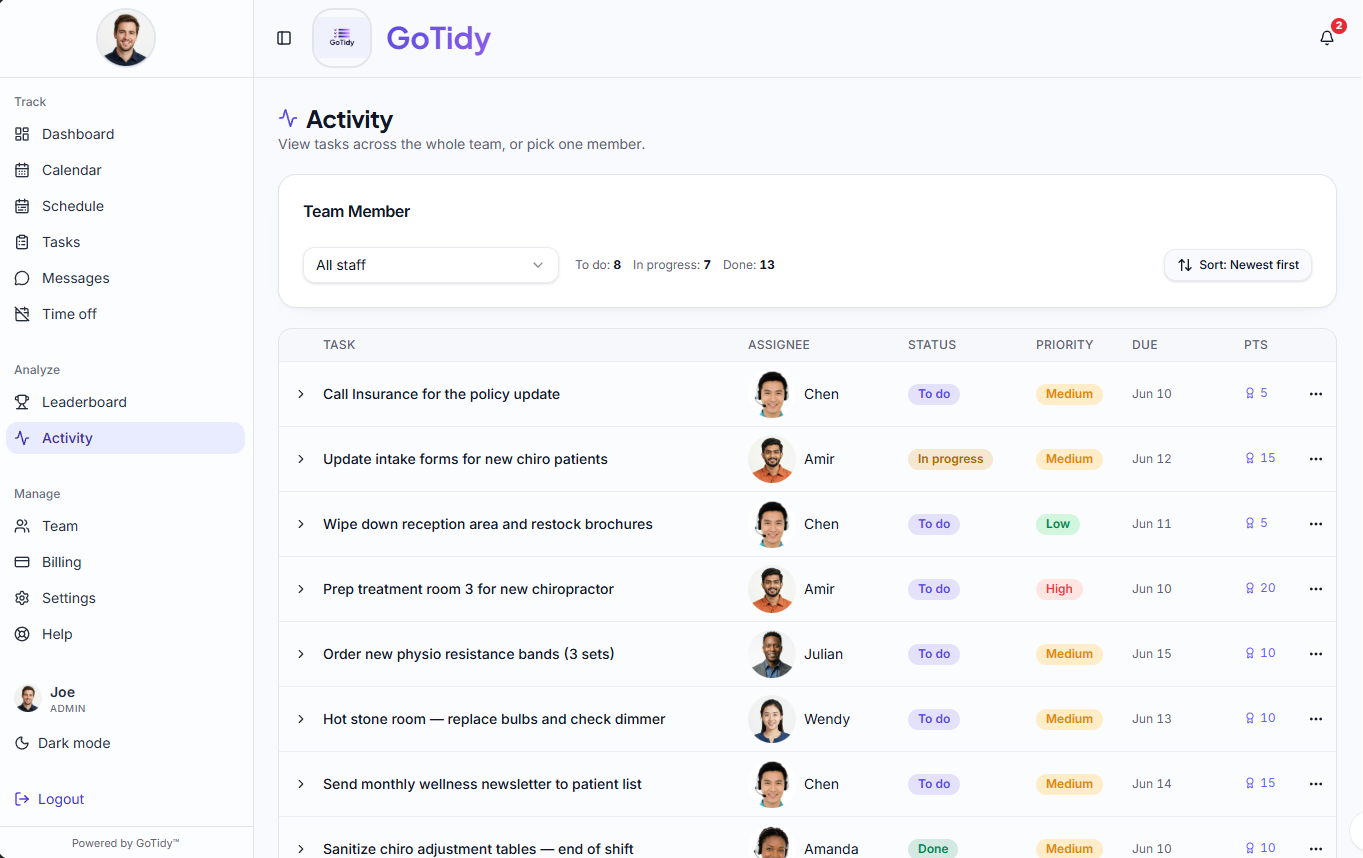
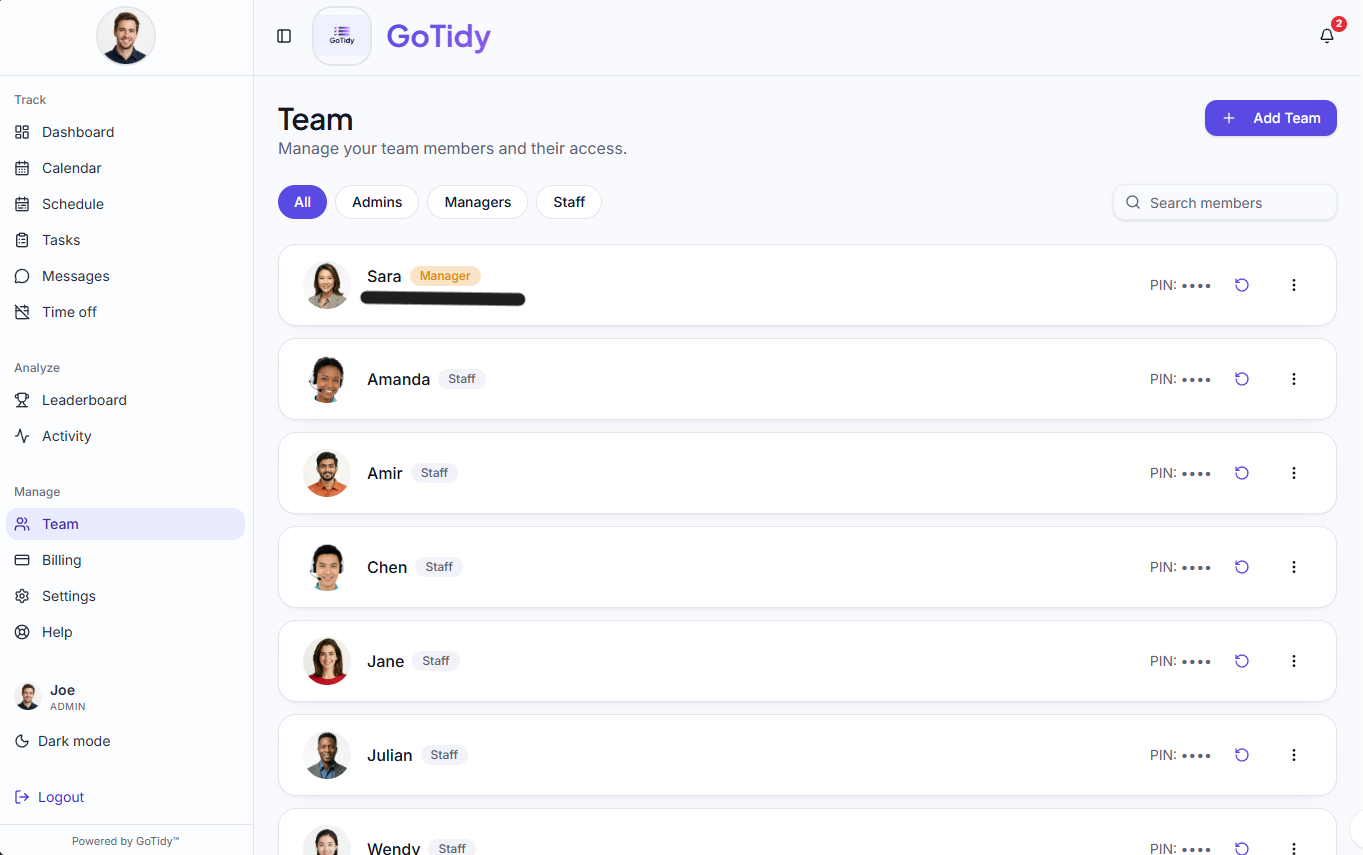
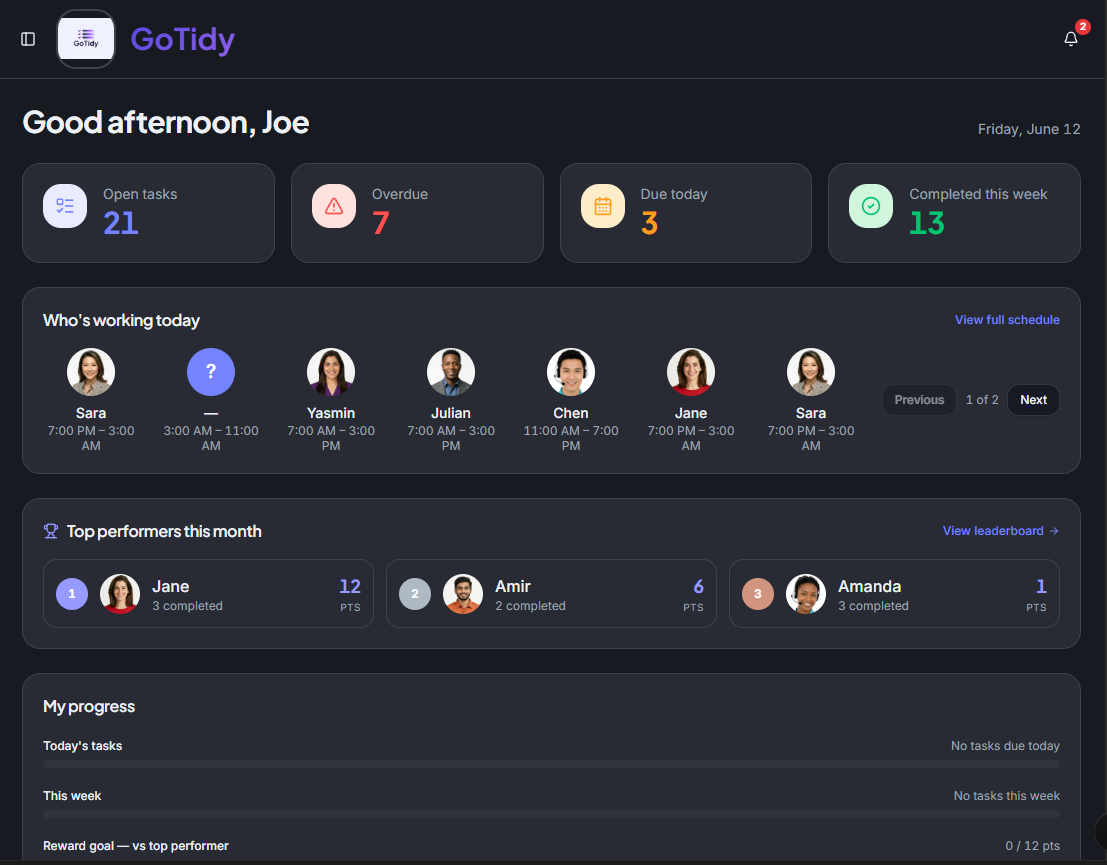
A peek at every screen — full breakdown below.
Know who's doing what, every minute of the shift.
Plan the week, hand it off to the team, and let them check things off from their phones. No more group-chat chaos.
Tasks that get done
Title, description, assignee, due date, priority (High / Medium / Low), reward points, and color-coded categories — all in one form.
Subtasks & checklists
Break a job into steps. Staff tick each box. You see live progress without asking.
Recurring tasks
Daily, weekly or monthly templates that auto-generate the right task on the right day.
Overdue reminders
When a deadline slips, the staff member and their manager get an in-app reminder, and admins and managers also get an email.
Sick days and vacations, covered
Mark someone sick or on vacation and choose what happens to their tasks: give them to someone else, or skip them for those days. Skipped tasks never count as missed.
Activity stream
See each person's tasks — to do, in progress and done — with points.
Unified calendar
Tasks, milestones and time off in one calendar view.
From clock-in to payroll export, without a spreadsheet.
Plan shifts, let staff clock themselves, edit what needs editing, lock the period and export.
Drag-and-drop schedule
Connecteam-style weekly grid. Reusable templates. Color-coded morning, afternoon, evening and night categories.
Clock in / Clock out
From any phone. Start lunch, end lunch, see live elapsed time. Configurable default lunch length.
Optional geofenced clock-in
Admins can turn on location verification for businesses with a physical site. If staff clock in outside the approved area, the punch is flagged for manager review instead of being blocked.
Payroll-ready timesheets
Weekly, bi-weekly, semi-monthly or monthly. Edit actual hours. Scheduled vs. actual side-by-side.
Configurable payroll rules
Set your own overtime thresholds, lunch-break handling, and paid-time rules to match your province's employment standards. A compliance acknowledgment step confirms the setup meets local labour law before it goes live.
Lock & export
Lock a period so numbers can't change after payroll runs. Export to Excel or PDF in one click.
Time off
Staff request in seconds, you approve in one tap, time off shows on the schedule automatically.
Shift edit requests
Staff can request a fix on a past clock-in or a scheduled shift. You approve or deny from an inbox.
Make great work feel great.
Built-in motivation that doesn't feel forced. Points stack up, winners get recognized, and the leaderboard is something people actually check.
Auto-rewarded points
Set a point value when you create a task. Points are credited the moment it's marked done.
Team leaderboard
Medals for the top three, honest standings for everyone. Visible to the team (you choose whether managers see it).
Reward goals
Set up to three prizes for 1st, 2nd and 3rd place (e.g. a $50 gift card).
Monthly winners
Last month's winners are saved automatically on the 1st and shown on the Leaderboard.
Your logo, your rules, your team's vibe.
Upload your logo and it shows up on every screen and email. Anyone can flip to dark theme for late shifts. You decide what managers can do and how staff log in.
Your logo, everywhere
Upload your business logo and it appears across the app for your team.
Dark theme
One-click dark mode in the sidebar. Easier on the eyes for late shifts and early opens — remembered on each device.
Three roles done right
Admin, Manager, Staff. Roles stored in a separate, secure table — no privilege-escalation tricks possible.
Staff log in with a PIN
No email required for staff. Just a name and 6-digit PIN. Admin logs in with email + password.
Manager permissions
Tick exactly which actions managers can perform — grouped by workflow (Tasks, Schedule, Timesheet, Leave, Rewards, Messages, Knowledge Base and more).
Notifications, sensibly
In-app bell with unread count, plus branded email notifications. Suppression list & unsubscribe built in.
Built-in help
Staff or admins can submit a question from the sidebar. Questions go straight to the GoTidy support team.
Team messaging
Group channels and 1-on-1 DMs with real-time delivery and unread badges. Admins can read every conversation. Managers can read other people's conversations only if you allow it.
Dashboard at a glance
Today's tasks, who's working today, this month's top performers and your progress — all in one screen.
And of course
The small things that make a real product.
- Each business's data kept separate and private
- Light & dark theme
- Org switcher for multi-business owners
- Avatar upload with crop
- Company invite code
- Add or remove team members any time
- 14-day free trial (once per business), card on file
- Update your card or cancel from Billing
- Branded transactional emails (invite, recovery, etc.)
- Unsubscribe & suppression list
- Live preview of payroll periods before lock
- Real-time team chat with admin oversight
Try it free for 14 days.
No charge until day 15. Cancel anytime. Your plan stays active until the end of the period you've paid for.